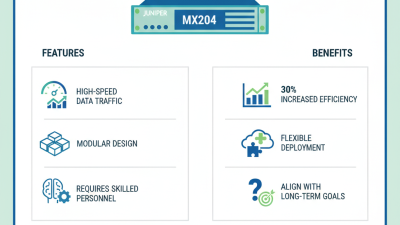
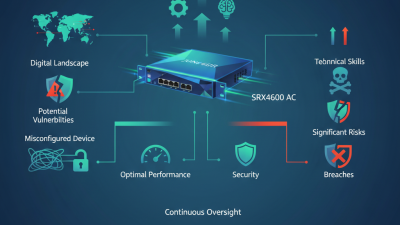
Why Choose Juniper MX204 for Your Network?
Choosing the right router shapes daily performance, operational confidence, and future network growth. The Juniper Mx204 deserves attention because it combines compact hardware with carrier-grade routing capabilities. Its 1U form factor can fit demanding environments where rack space is limited. That practical advantage matters in edge sites, enterprise hubs, and service-provider locations. Less space can also simplify power planning and physical maintenance.
In real deployments, teams often need more than impressive throughput figures. They need predictable forwarding, clear management, flexible interface options, and dependable software behavior. Juniper Mx204 supports these priorities through the Junos operating system and a design built for high-density connectivity. It can serve aggregation, peering, business services, and data-center interconnection roles, depending on the selected configuration. The router also gives engineers room to scale without immediately replacing the platform.
It is not a magic box.
Performance depends on optics, licensing, routing design, traffic patterns, and software versions. That detail is easy to overlook during a hurried purchase. A careful evaluation should compare port requirements, redundancy plans, monitoring tools, and long-term support costs. Benchmarks should reflect real workloads, not only laboratory figures. The most convincing reason to choose Juniper Mx204 may be its balance of capacity, footprint, and operational control. Still, every network has different constraints. Testing the intended design before deployment remains the safer decision.
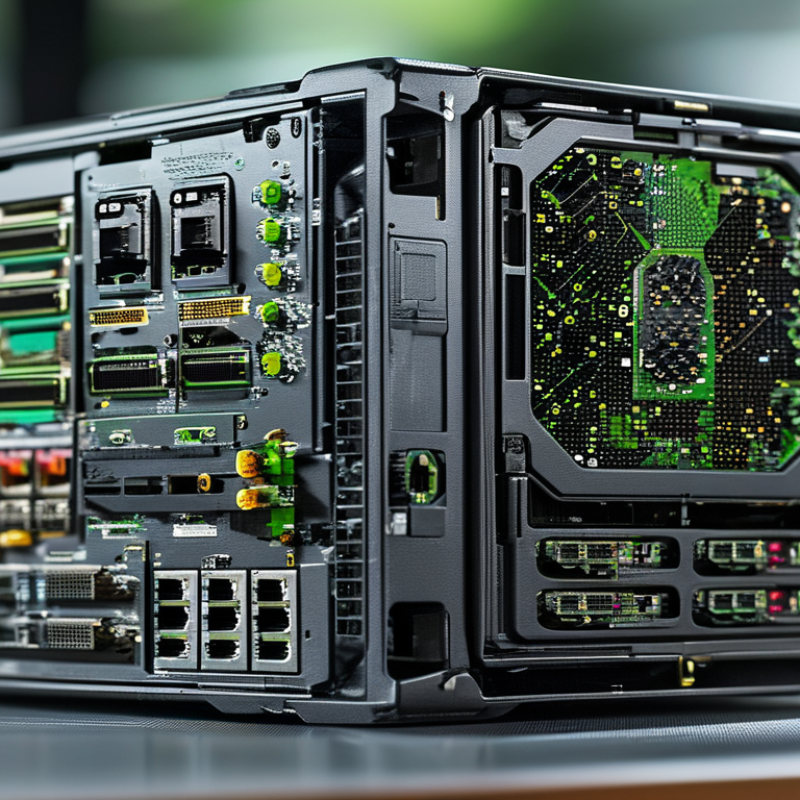
Juniper MX204: Architecture and Core Network Functions
The MX204 is built for dense routing in a compact one-rack-unit platform.
Its architecture separates control, forwarding, and service functions. The routing engine calculates paths, while dedicated forwarding hardware moves packets at line rate. This division keeps busy links from overwhelming the control plane.
In practical deployments, the platform can handle BGP, OSPF, IS-IS, MPLS, and EVPN services.
It also supports high-speed Ethernet interfaces for aggregation, peering, and edge connectivity. A network engineer can place it near a data center or at a regional hub. The front panel remains manageable, even when several 100GbE connections are active. That matters during fault checks.
The operating system provides a consistent model for routing policy, telemetry, filtering, and automated changes.
I would still validate every feature against the installed release. Documentation and field behavior do not always match perfectly. Careful testing helps reveal memory pressure, interface limitations, and unexpected convergence delays. Small details matter.
For resilient design, engineers can use routing protocols, graceful restart, fast failure detection, and diverse uplinks.
The platform is powerful, but it is not a complete architecture by itself. Poorly planned policies can create wider outages quickly. I would measure traffic patterns before selecting port roles, then review the design after real peak-hour data arrives. That review is often overlooked.
Key Performance and Port Capabilities of the MX204
The MX204 is a compact edge router designed for high-capacity networks with limited rack space. Its forwarding capacity can reach up to 400 Gbps, supporting demanding broadband, enterprise, and data center connections. In practical deployments, four 100GbE QSFP28 ports provide strong uplink options. Eight 10GbE SFP+ ports support aggregation, service handoffs, or resilient peering. Port flexibility depends on the selected optics and network design.
Its performance is not only about raw throughput. Hardware-based forwarding helps maintain stable packet handling during busy periods. Advanced routing, quality-of-service controls, and automation features can simplify large-scale operations. The 1U form factor also reduces power and space requirements. However, real performance depends on packet size, enabled services, and traffic patterns. I would not treat the maximum figure as a daily guarantee.
Tips: Confirm optics, breakout needs, and port speeds before installation. Leave capacity for growth. Test failover with realistic traffic, not only laboratory packets. Keep firmware and configuration records current. Small oversights matter. A careful port map can prevent expensive redesigns later.
Routing, Security, and Service Management Features
A compact 1RU routing platform can simplify demanding edge deployments. Its high-density interfaces support resilient BGP and OSPF designs, while VRFs separate tenants, departments, and sensitive services. In field deployments, this reduces cabinet space and shortens cable paths. The ITU reported 5.4 billion internet users in 2023, increasing pressure on reliable edge connectivity.
Routing alone is not enough. Firewall filters, control-plane protection, IPsec support, and rate limiting help contain unwanted traffic before it reaches critical systems. ENISA’s Threat Landscape report identifies distributed denial-of-service attacks as a leading incident category. That makes layered protection practical, not decorative. I would still avoid treating default policies as secure. They rarely match real traffic patterns.
Service management is where operational value becomes visible. Streaming telemetry can expose interface errors, latency changes, and route instability before users report failures. Centralized configuration, commit checks, and rollback tools also reduce risky maintenance windows. Industry automation surveys consistently show that standardization improves consistency, although results depend on clean processes. The weak point is human judgment. Poor naming, forgotten exceptions, or incomplete testing can undermine excellent hardware. A sensible design combines redundant power, diverse uplinks, documented policies, and measured capacity. Small details matter.
Operational Benefits, Scalability, and Upgrade Considerations
A compact edge router can simplify operations when rack space, power, and maintenance time are limited. The MX204 fits this role with a dense hardware design and support for high-speed interfaces. In a practical deployment, technicians can inspect port status, review alarms, and replace planned components without rebuilding the entire network. Clear telemetry also helps teams identify rising errors before users report slow applications. Small details matter here.
Scalability depends on more than port speed. Teams should examine traffic growth, routing-table requirements, interface types, and software feature support before purchase. A regional site might begin with a few active links, then add services as customer demand increases. The platform can support that expansion, but capacity planning remains essential. It is not a magic box. Licensing, optics, cooling, and power budgets can change the real cost.
Upgrade planning deserves equal attention. Confirm software release paths, configuration compatibility, maintenance procedures, and rollback options in a test environment. I would also record interface utilization during busy periods, not only average usage. That exposed weakness can prevent an expensive surprise later. Product documentation and independent testing should guide final decisions. The device may offer strong operational value, yet a poor migration plan can erase those benefits quickly. Teams should leave rack depth, airflow, and spare-port capacity for requirements they cannot predict today.
Why Choose Juniper MX204 for Your Network?
Operational Benefits, Scalability, and Upgrade Considerations
The platform provides a compact 1U design with a high-speed 100GbE uplink layer and multiple 10GbE and 1GbE interfaces. This combination supports phased migration, efficient rack utilization, and future capacity upgrades without replacing the entire chassis.
Reference values: 24 × 1GbE, 8 × 10GbE, and 4 × 100GbE interfaces; aggregate throughput up to 400Gbps.